Getting Started
Official L2Family.net guide: Account registration, client download, and launcher setup. Join our Classic community today!
Welcome to L2Family.net! Follow these steps to start your adventure:
1. Create Account
Register your game account in our Account Panel.
2. Download Client
Download our official L2Family.net Updater from the Downloads section.
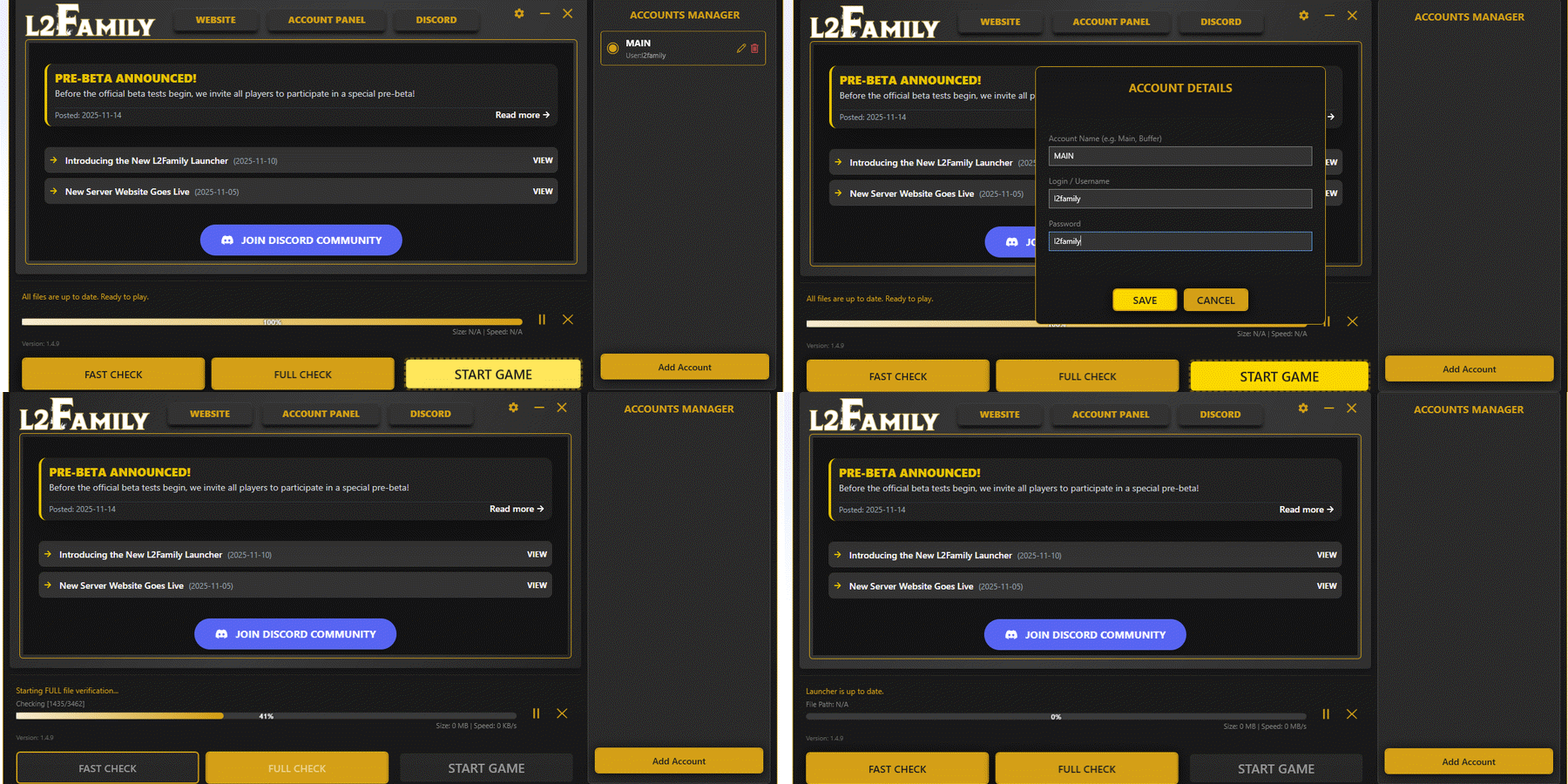
3. Launcher Setup
- • Run L2Family.exe.
- • Click Full Check for the first time.
- • In the right panel, click Add Account.
-
• In the ACCOUNT DATA window, enter:
- Account Label — any name.
- Login — your game login.
- Password — your game password.
- • Click Save.
- • Select account & click Fast Check.
- • Click Start Game.